Thinking of spending your normal
life without this amazing device is really annoying. So, in other words,
we can say that life becomes quite unmanageable in the absence of
computer. But, computer without internet connection seems to be useless
and boring. As we all know, internet connection is great source of
keeping you update with lots of information and is the greatest mean to
answer your queries. Other than these, internet is greatest mode of
entertainment and recreation like playing games and much more.
 Just
because of so much interesting facts are attached to a computer with
internet connection, it plays significant role in our life. Therefore,
loads of people spend most of the time on their PC. Though the computer
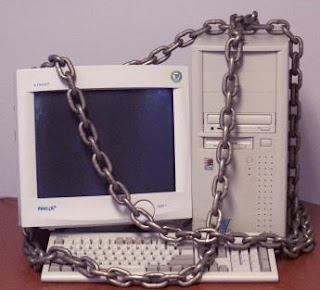
with internet connection is quite useful but it also has numerous
security risks. And, it proves to be quite hectic to get your system rid
off such harmful attacks. Such attacks not only prove to be hazardous
for your system but also just because of them your secrets and private
information can be damaged or stolen. Therefore, it is advisable to
almost all computer users with internet connections to go for safety
measures for security of your computers.
Just
because of so much interesting facts are attached to a computer with
internet connection, it plays significant role in our life. Therefore,
loads of people spend most of the time on their PC. Though the computer
with internet connection is quite useful but it also has numerous
security risks. And, it proves to be quite hectic to get your system rid
off such harmful attacks. Such attacks not only prove to be hazardous
for your system but also just because of them your secrets and private
information can be damaged or stolen. Therefore, it is advisable to
almost all computer users with internet connections to go for safety
measures for security of your computers.

Here are top 10 computer security tips:
1. Use of Antivirus Programs: The most effective and basic tips for computer security is to go for Antivirus protection programs. It is quite wise decision to have anti-virus software on your computer for the protecting your computer from the known viruses. But for new viruses, keep in mind to update your anti-virus program daily.
2. Avoid opening unknown emails or attachments: To safeguard your computer from hazardous viruses, it is strictly advisable not to open any suspicious emails with any sort of attachments. It will be wise decision to delete such mails and even its attachments. But, keep in mind, to delete such mails without opening them.
3. Not to download unsure files: Beware of the files like screen savers, games, freeware, etc. To save your computer, be sure of scanning the download before running them.
4. Use of firewalls: The best way to protect your computer is to make use of firewalls!! As the name suggests, firewall is just like a barrier between the outside wall and your computer. Basically, firewalls are of two types – Hardware firewalls and Software firewalls.
5. Make use of strong Computer Password: For safety measures, it is must to keep your computer safe from any unauthorized person. For this purpose, use of computer password is recommendable especially, when the computer is not coming in use. Just try to choose the toughest password with use of special characters, lower or upper case or numbers so that the chances of being hacked lessen.
6. Back-up your computer files: To overcome the problems like losing of computer data or stealing of important information, it is best suggested to back up your important files on CDs or other disks. It is the best means to keep your records safe and unrevealed.
7. Make sure of disconnecting Internet when no more required: Connecting with Internet is just akin to two-way highway road, so it's better to get disconnected from internet when you are not doing anything online. This will keep your computer safe from accessing by any other computer.
8. Avoid using floppies for transferring files between PCs: The most common way to transfer files from one computer to another is use of floppies. But did you know it is the simplest way to harm your computer system without much effort? So, make habit of scanning such floppies before transferring any files from them.
9. Avoid use of unnecessary toolbar or gadgets: Most of the time, use of unnecessary toolbar or gadgets creates great problem for your computer. So, it’s better to delete them!!
1. Use of Antivirus Programs: The most effective and basic tips for computer security is to go for Antivirus protection programs. It is quite wise decision to have anti-virus software on your computer for the protecting your computer from the known viruses. But for new viruses, keep in mind to update your anti-virus program daily.
2. Avoid opening unknown emails or attachments: To safeguard your computer from hazardous viruses, it is strictly advisable not to open any suspicious emails with any sort of attachments. It will be wise decision to delete such mails and even its attachments. But, keep in mind, to delete such mails without opening them.
3. Not to download unsure files: Beware of the files like screen savers, games, freeware, etc. To save your computer, be sure of scanning the download before running them.
4. Use of firewalls: The best way to protect your computer is to make use of firewalls!! As the name suggests, firewall is just like a barrier between the outside wall and your computer. Basically, firewalls are of two types – Hardware firewalls and Software firewalls.
5. Make use of strong Computer Password: For safety measures, it is must to keep your computer safe from any unauthorized person. For this purpose, use of computer password is recommendable especially, when the computer is not coming in use. Just try to choose the toughest password with use of special characters, lower or upper case or numbers so that the chances of being hacked lessen.
6. Back-up your computer files: To overcome the problems like losing of computer data or stealing of important information, it is best suggested to back up your important files on CDs or other disks. It is the best means to keep your records safe and unrevealed.
7. Make sure of disconnecting Internet when no more required: Connecting with Internet is just akin to two-way highway road, so it's better to get disconnected from internet when you are not doing anything online. This will keep your computer safe from accessing by any other computer.
8. Avoid using floppies for transferring files between PCs: The most common way to transfer files from one computer to another is use of floppies. But did you know it is the simplest way to harm your computer system without much effort? So, make habit of scanning such floppies before transferring any files from them.
9. Avoid use of unnecessary toolbar or gadgets: Most of the time, use of unnecessary toolbar or gadgets creates great problem for your computer. So, it’s better to delete them!!
10. Use of authenticated security software: Beware of fraud or malicious security software!! Such software is of no use for your computer security.
No comments:
Post a Comment